The Website Wasn’t Broken. It Wasn’t Working.
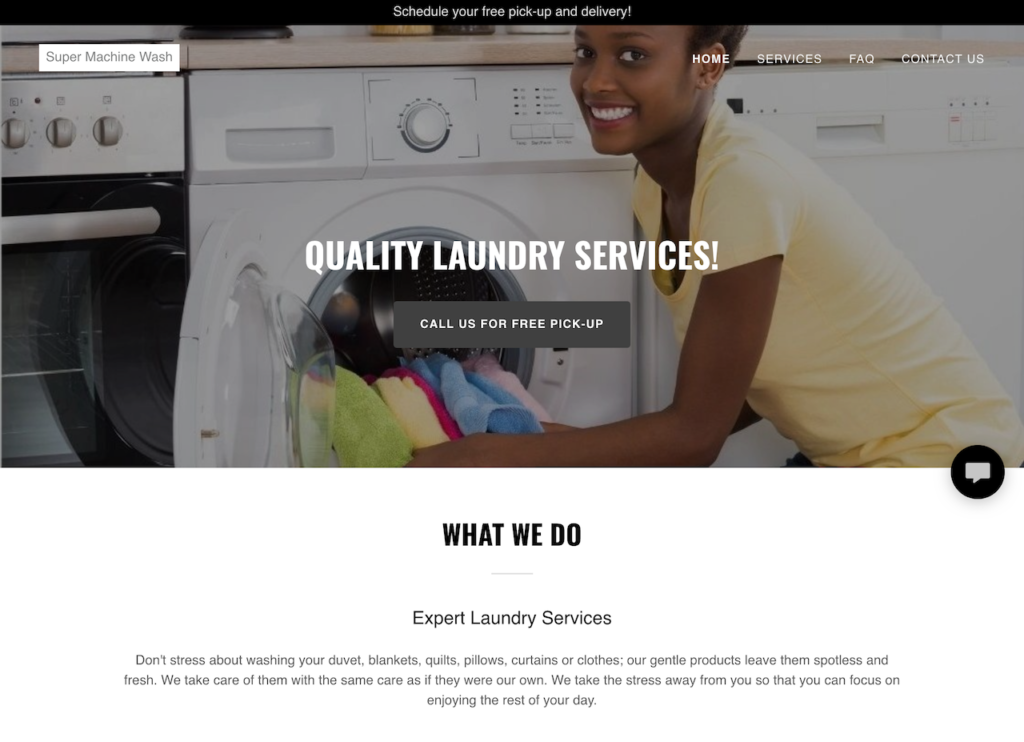
Build for Visibility: Multi-Page Website
Then the Business Changed
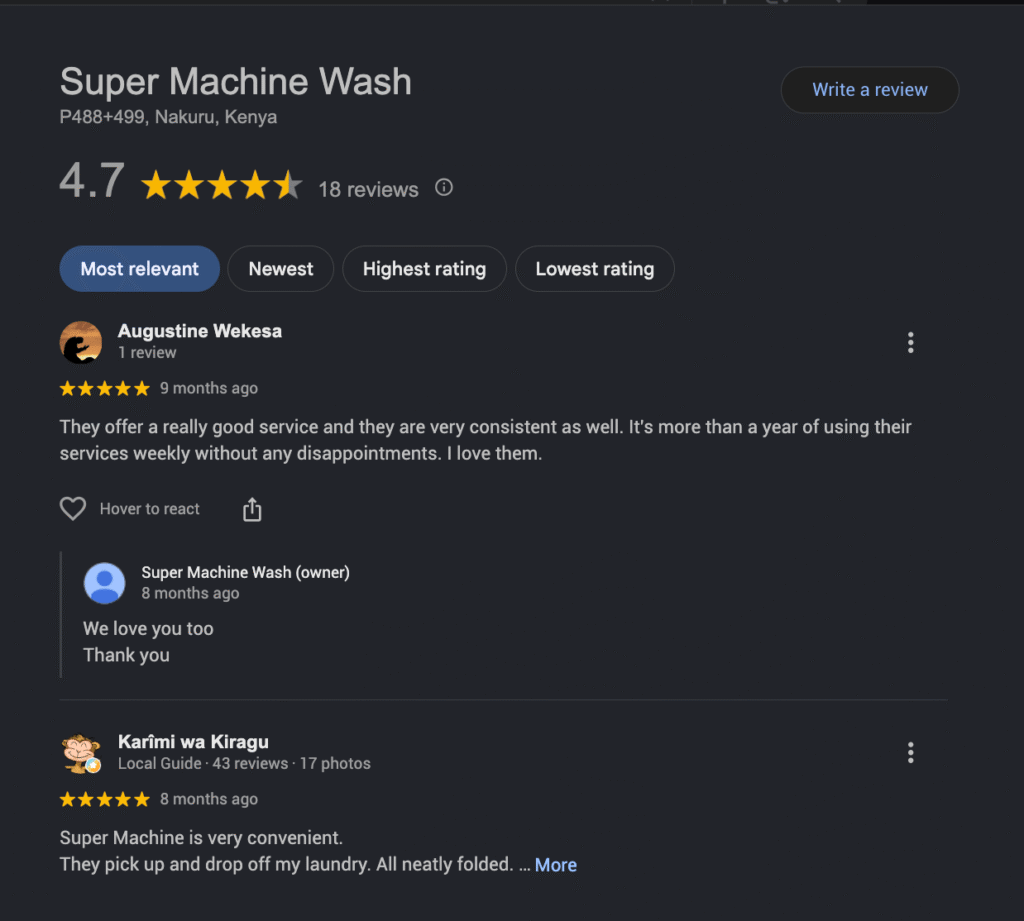
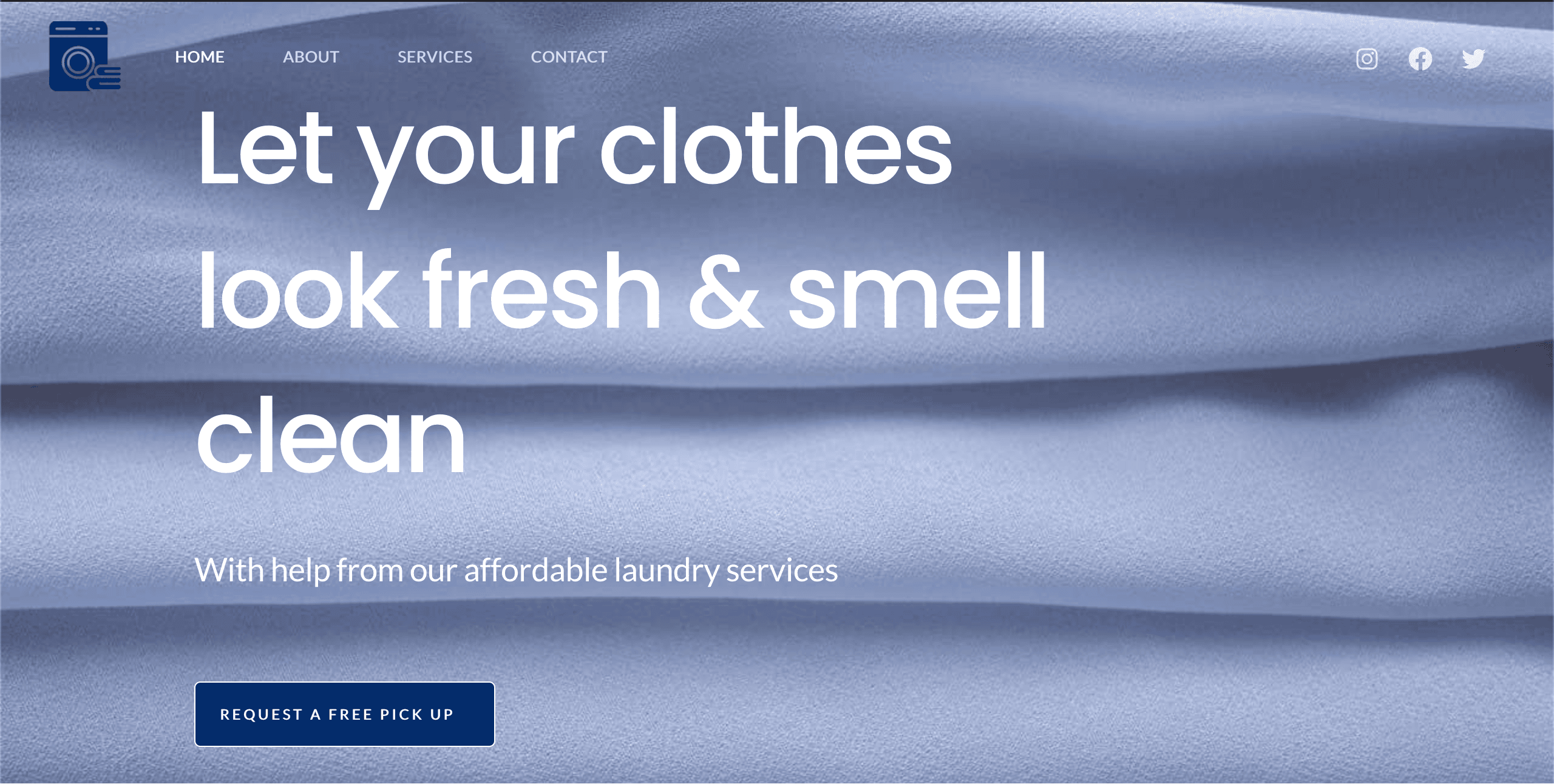
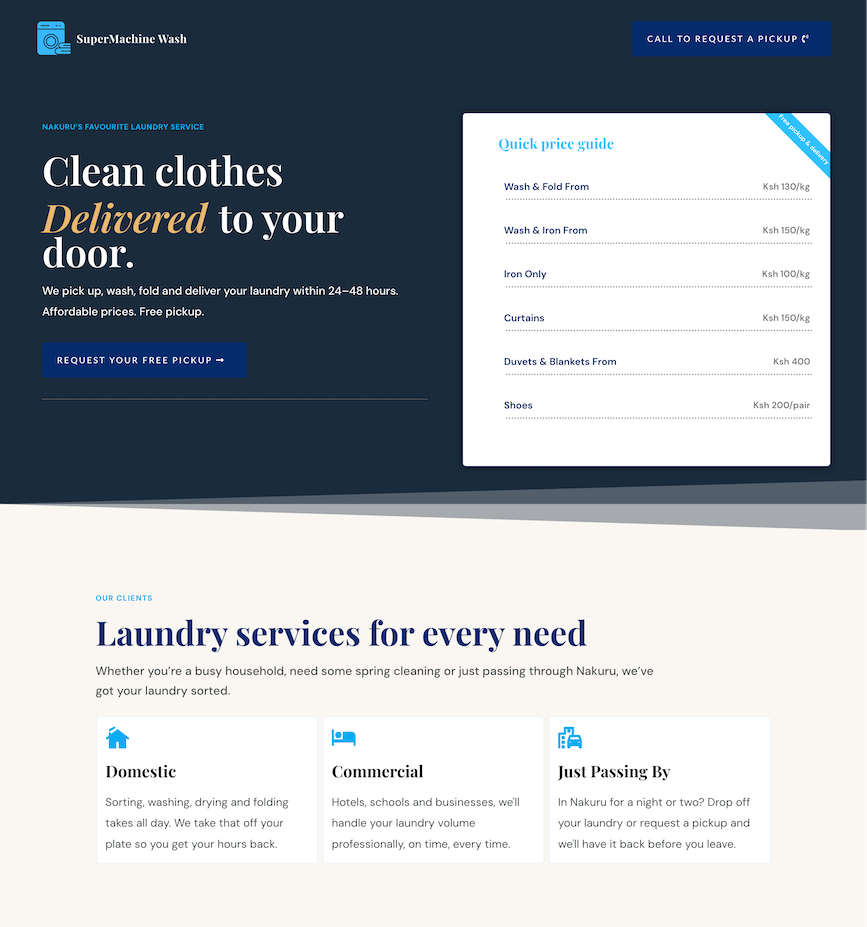
The website’s role had changed. Visibility was no longer a priority. Instead, it needed to turn existing interest into pickup requests.
Build for Conversion: One-Page Website
- Who they serve
- How the service works
- Pricing
- Customer reviews
- A clear call to request a pickup
What’s a One-Page Website?
Is a One-Page Website the Same as a Landing Page?
Think about it this way: ‘A landing page supports a campaign. A one-page website represents the business.’
| One Page | Landing Page |
|---|---|
| It represents the business or brand | It supports a marketing campaign |
| Sections show different parts of the business | Only has information about the campaign |
| It’s the main website, so not time sensitive | Temporary for the period of the campaign |
| Goal is to introduce visitors to the business | Goal is to convert target audience |
What Is a Multi-Page Website?
Which One Is Right for Your Business Right Now?
If you’re still unsure of the answer, you can use this three question framework to further ease your decision.
1. What do you want your visitor to do?
Your website has one primary goal: to request a quote, book a call, or start a conversation. A one-page website is often enough.
Visitors need to compare services, research different offers, or explore multiple resources. A multi-page website is the better fit.
2. How much information does your visitor need before taking action?
Extra pages become useful the more explanation, detail, and context your visitors need. But if your business can be understood clearly on a single page, keep it simple.
3. Are you trying to rank for multiple search terms?
A one-page website can work well around a single core keyword. Dedicated pages make more sense if you have multiple services or audiences.
Your goal is to choose the structure that supports your business needs today.
What Every Effective Website Has in Common
They are the basis of an effective website.
Clarity
Visitors should clearly understand what you do, who you help, and why they should care.
If you leave them to figure it out, they won’t. They’ll leave. Even if your website has the content they are searching for.
Completeness
People need enough information to make a decision.
That means trust, credibility, and guidance. They need to understand the offer, see proof that you can deliver, and know exactly what to do next.
Lacking these elements leaves your visitors with doubts from unanswered questions.
Consistency
The design, messaging, and tone should reinforce the same impression.
For example, an outdated service page can make the visitor doubt its trustworthiness. Especially if it follows a professional-looking homepage.
A website shouldn’t feel like it was assembled from five different templates and written by three different people.
But at the very least, every website needs:
– A clear headline
– A reason to trust you
– The next step
Everything else exists to support those three essentials, including the design.
The Real Lesson
- The Website Wasn't Broken. It Wasn't Working.
- Build for Visibility: Multi-Page Website
- Then the Business Changed
- Build for Conversion: One-Page Website
- What's a One-Page Website?
- Is a One-Page Website the Same as a Landing Page?
- What Is a Multi-Page Website?
- Which One Is Right for Your Business Right Now?
- What Every Effective Website Has in Common
- The Real Lesson
- Now you know the process to decide on the type of website, what’s next?

Esther Wonge
Copywriter & Web Designer · Beginners Copy
I write and design one-page websites for consultants, service businesses and law firms in 7 business days through a focused, copy-first process.
Share this article:
Keep Reading